Visitor and staff sign-in for iPad
The front desk that signs people in.
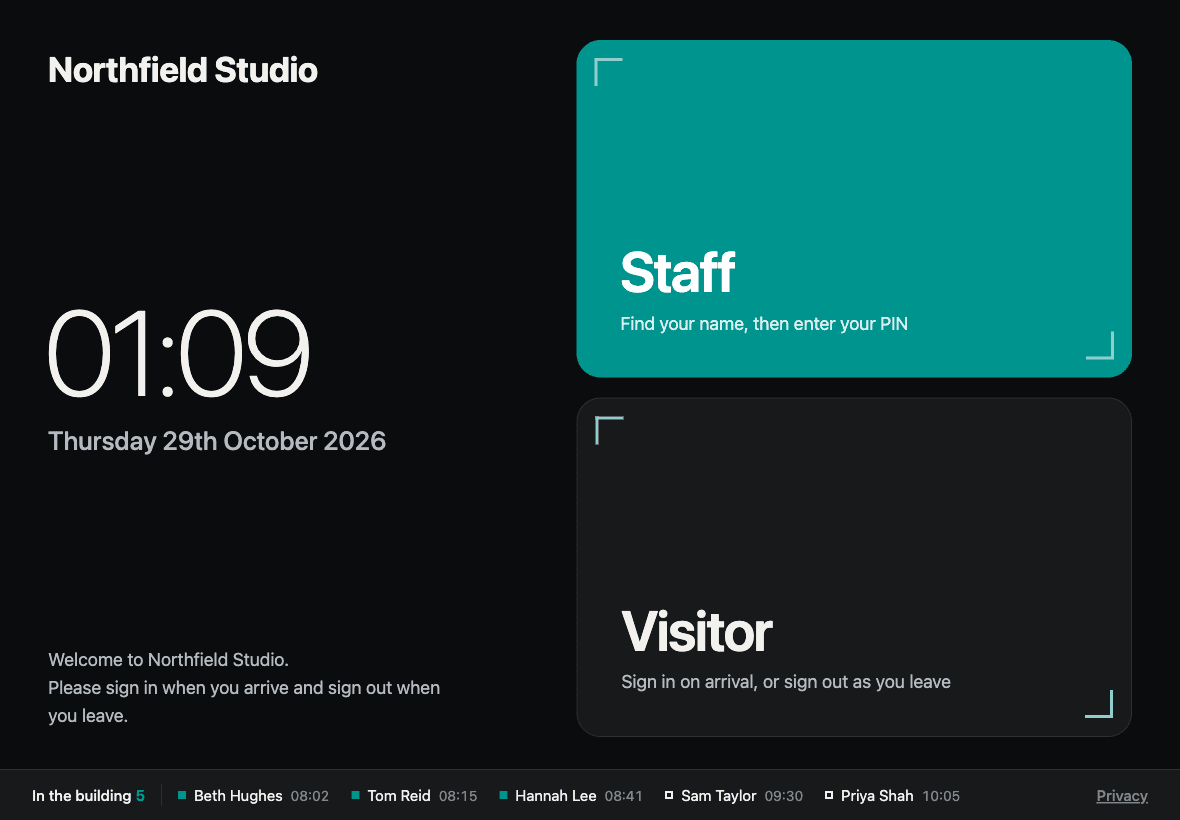
Arrivo turns an iPad into a sign-in kiosk for your staff and visitors, with a live fire register you can take outside in an emergency.
14 days free, no card needed. Then one yearly payment, sized to your company.
How it works
Running in five minutes.
Download Arrivo
Install the free Arrivo app on your iPad from the App Store.
Create your account
Sign up in the app with your business email. Add your logo, colours and staff, and you’re live. Free for 14 days.
Choose a plan
When you’re happy, choose a yearly plan here on the website. The kiosk carries on without a break.
Features
Everything reception needs. Nothing it doesn’t.
Staff sign in with a PIN
Each person finds their name and enters a 4-digit PIN. Arrivo works out whether they’re arriving or leaving.
Visitors, done properly
Name, company and who they’re visiting. Optionally they read your site rules and today’s notice and tick to agree first.
Fire register you can carry
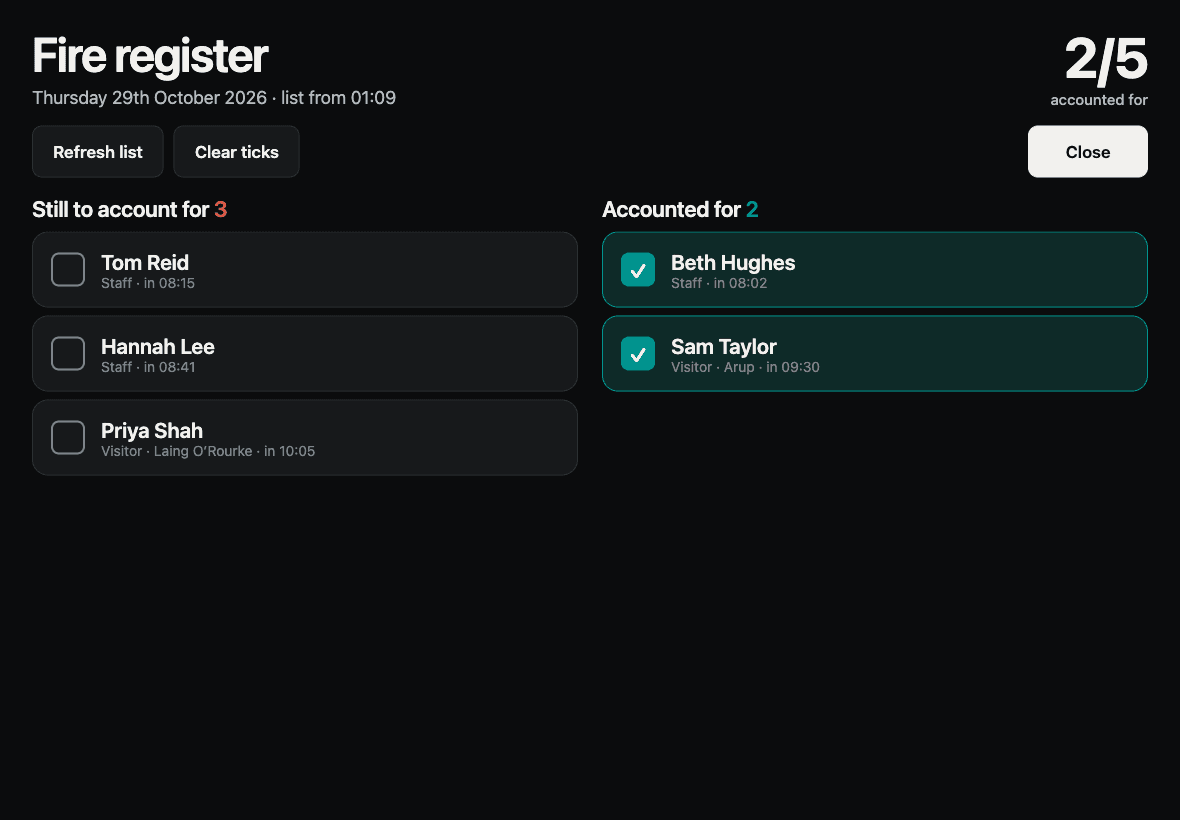
Unplug the iPad, walk out and tick people off. It keeps working with no Wi-Fi and remembers ticks if the app closes.
Who’s in, right now
A live “in the building” bar on the kiosk, and a full list in admin, with sign-out for anyone who forgot.
Log, stats and exports
Earliest arrivals, longest days, busiest days, graphs and a CSV export of every sign-in for your records.
Private by design
Passwords and PINs are stored scrambled, each company only ever sees its own people, and you can delete everything any time.
In an emergency
Everyone accounted for, without the clipboard.
The fire register opens from the admin screen without a password, so whoever is nearest can grab the iPad. Tap each person as they reach the assembly point and watch the count go up.
Pricing
One price a year, based on your size.
Every plan includes every feature and as many iPads and visitors as you like.
Small
Up to 25 staff
- Unlimited visitors and iPads
- Fire register and stats
- Visitor rules and privacy notice
Medium
Up to 100 staff
- Unlimited visitors and iPads
- Fire register and stats
- Visitor rules and privacy notice
Large
Unlimited staff
- Unlimited visitors and iPads
- Fire register and stats
- Visitor rules and privacy notice
Start with 14 days free in the app, then choose a plan here. Billed once a year. Cancel any time and Arrivo keeps working until the end of the year you’ve paid for.
Questions
Good to know.
What do I need?
An iPad and Wi-Fi. A stand or wall mount for reception is a good idea, plus a charger so it stays on all day.
Can we use more than one iPad?
Yes. Sign in on as many iPads as you like with the same account, for example one at each entrance. They all share the same list.
What if we grow past our plan?
Change plan any time from Plans and billing. You’ll only pay the difference for the rest of the year.
What happens if we cancel?
Arrivo keeps working until the end of the year you’ve paid for. You can export your sign-in log and delete your account from the app at any time.
Where is our data kept?
On secure cloud servers. Each company’s data is kept separate, and passwords and PINs are never stored in readable form. See our privacy policy for details.